Official E-ZPass NY
- 4.4
- Rating
- 1.00M
- Installs
- Free
- Price
 Analysis by App-foxy
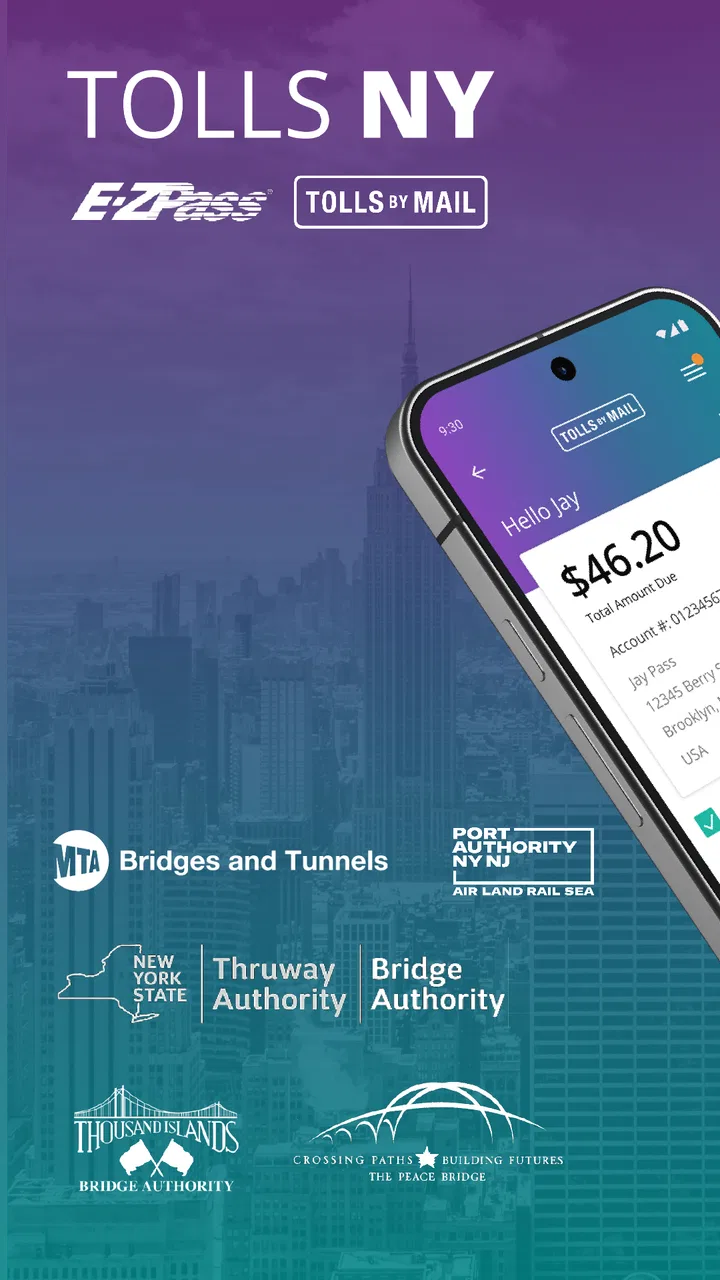
Driving through New York toll facilities is rarely difficult because of the toll itself. The frustration usually comes from not knowing whether a payment went through, whether an account needs attention, or which road charges are still waiting to be handled. Official E-ZPass NY is built around that practical problem. It is a free Travel & Local app from Conduent Incorporated for people who use E-ZPass NY or need to manage Tolls By Mail activity from a phone.
I found it most useful as a control panel rather than as a travel companion in the broader sense. It does not try to replace a map, a route planner, or a general transportation app. Its value is narrower and more useful: it gives New York drivers a direct place to check their toll account and keep payment-related tasks from becoming a paper-trail headache. The app is rated for Everyone, runs on devices using at least iOS 11, and the current version is 3.13.2.
That focus is also the key to deciding whether it belongs on your phone. If you regularly cross New York toll roads, bridges, or tunnels, I think it is worth having installed even if you only open it occasionally. If you are visiting once, do not use E-ZPass, and simply need directions, a navigation app will be more relevant. This review looks at how the app fits into real routines, where experienced users can save time, and where its limits become noticeable.
You May Also Like

 Blood Strike: 2.5 Anniversary
Blood Strike’s Loadouts Turn Every Drop Into a Tactical Gamble
A close look at Blood Strike’s custom loadouts: how fast access to signature weapons reshapes its battle royale rhythm, rewards preparation, and narrows the gap between fights.

 Pandora - Music & Podcasts
Pandora’s Music Is Easy to Start, but Harder to Recover
Pandora’s strength is its low-effort path from a seed to a station. Its weak spot is how much confidence it asks you to place in connection, setup, and quiet recovery.

 8 Ball Pool
 Is Built on Rivalries, Rematches, and Routine
A close look at the rivalries, rematches, shared routines, and unanswered safety questions that turn a quick pool match into a persistent mobile community.

 Samsung Music
’s Quiet Strength Is Playing What You Already Own
Its reach comes less from spectacle than from dependable access to a personal library. That simplicity is both the app’s strongest retention engine and its ceiling.

 AccuWeather: Weather Radar
AccuWeather Review: A Quick, Clear Forecast for Everyday Decisions
For everyday plans, the best forecast is the one you can understand quickly. AccuWeather makes rain timing, radar, and local conditions easy to act on, with a few trade-offs.

 Hill Climb Racing
Why Hill Climb Racing Still Turns Crashes Into One More Run
A tiny car, a bumpy hill and one more upgrade: Hill Climb Racing keeps resurfacing because its simple chaos makes every near-miss feel personal.
More From Our News Desk



How the everyday toll-account workflow feels
The most sensible way to use Official E-ZPass NY is to treat it as part of a repeatable before-and-after driving routine. Before a long trip, I would open the app to check the account rather than wait until a toll notice or an unexpected balance problem forces the issue. After the trip, a quick review can help confirm that the account is still in good standing and that there is nothing requiring action.
This approach is more reliable than trying to remember every toll crossing. Drivers often assume that an electronic toll account makes the process invisible, but the account still matters. A payment method can need attention, an account balance can become lower than expected, and a vehicle change can make an old account setup less useful. The app gives those account-management tasks a dedicated place instead of leaving them scattered across emails, letters, browser bookmarks, and memory.
New users should begin by identifying which side of the service they actually need. E-ZPass customers are generally managing an established toll account, while Tolls By Mail users are dealing with toll charges that are not being handled through an active transponder account. Mixing those two situations in your head can lead to the wrong expectation about what the app is for. It is not simply a universal toll calculator; it is tied to New York’s official toll-payment services.
I also recommend keeping your vehicle details and account information consistent before relying on the app during a busy travel day. This is not a glamorous tip, but it prevents a common kind of confusion: checking the right account while assuming the wrong vehicle or payment arrangement is attached to it. When several people in a household drive different cars, a short account review before a trip is more useful than opening the app only after a charge looks unfamiliar.
For a realistic example, imagine leaving early for a family appointment outside your usual area. You have a low tolerance for delays, and the car may pass through more than one toll facility. The efficient habit is to check the account the night before, confirm that the account is the one associated with the vehicle you will use, and then leave the app alone while driving. Once you return, you can review the account again instead of trying to investigate from the roadside.
That last point matters. Toll management should happen before or after driving, not while the car is moving. The app is useful for preparation and follow-up, but it should not become another distraction in the vehicle. I would treat it like a banking app: convenient when you deliberately sit down with it, inappropriate when you are trying to make a traffic decision.
What to check before depending on it
The first question is whether your account is already set up. People who have never opened an E-ZPass account should not expect an installed app alone to solve every registration step. The app is most valuable once you know which account you are managing and have the credentials needed to access it. That makes the initial setup a small administrative task, but it is one worth completing when you are not rushing to a toll road.
The second question is whether you are checking a current account or responding to a notice. Those are different workflows. A regular E-ZPass user may be looking for account status and payment-related information, while a Tolls By Mail customer may be trying to deal with a specific charge. I would read the wording on any notice carefully before entering details, then use the official app rather than relying on a random search result or an unofficial toll-payment service.
Another practical habit is to avoid assuming that every road trip will appear in the app immediately in the way you expect. Toll records and account activity are not the same thing as live navigation. If you need turn-by-turn guidance, traffic conditions, or a route that avoids tolls, use a navigation tool alongside this app. Official E-ZPass NY is better for account administration than for decisions about which road to take.
Settings and account habits worth checking
The app’s most important “settings” are the account details that determine whether toll activity can be handled correctly. I would pay particular attention to the vehicle information, payment details, and contact information associated with the account. Even when the app makes these areas easy to reach, they deserve a deliberate review because a small outdated detail can matter more than a polished interface.
Vehicle changes are especially easy to overlook. If you replace a car, use a temporary vehicle, or share driving duties with another person, do not assume that the account is automatically aligned with the new situation. The safest habit is to review the account before a trip involving a different vehicle. This is one of the less obvious ways to get more value from the app: use it as a pre-drive checklist, not only as a place to look when something has already gone wrong.
Payment information deserves the same treatment. I would not wait for a long-distance trip to discover that an account needs attention. A short monthly check is enough for many occasional drivers, while frequent toll-road users may prefer to review it before each major journey. The point is not to stare at the app constantly; it is to create a predictable moment when account problems are easier to fix.
Keep your sign-in details available in a secure password manager rather than relying on a screenshot or an old note in your car. That is not a feature of the app, but it changes how practical the app becomes. If you are standing in a hotel lobby or dealing with a toll question away from home, secure access is much less frustrating than trying several passwords from memory.
I also suggest separating notification expectations from account checking. A notification can remind you to look, but it should not replace opening the account when you are preparing for an important trip. If you depend entirely on an alert, you may miss a problem simply because your phone settings, email habits, or notification preferences changed. A repeatable manual check gives you more control.
Faster patterns for regular drivers
Experienced users can make the app feel faster without assuming it contains shortcuts that are not documented. The best shortcut is a habit: open it at the same point in your travel planning, use the same account checks, and close it once the relevant information is clear. Repetition reduces the temptation to browse through unrelated screens or investigate a problem while under time pressure.
For frequent commuters, I would create a simple weekly rhythm. Check the account before the first toll-heavy commute of the week, review any recent activity when convenient, and handle payment or vehicle changes immediately rather than postponing them. This is more efficient than opening the app after every crossing, and it still gives you a regular opportunity to catch issues before they become urgent.
For occasional travelers, a trip-based rhythm makes more sense. Check several hours or a day before departure, especially if the route is unfamiliar or the vehicle has changed. Then keep any relevant account or notice information accessible after the trip. This pattern avoids unnecessary checking while still protecting you from the classic mistake of discovering an account problem at the worst possible moment.
Households can benefit from assigning one person to maintain the account, but that person should not be the only one who knows the basic arrangement. If two drivers use the same account, both should understand which vehicle information and payment details are connected to it. The app cannot remove the need for communication between drivers, but it can give everyone a common place to verify what is happening.
When a charge looks unfamiliar, resist the urge to make several changes at once. First identify the account, vehicle, and approximate trip involved. Then review the relevant information and decide whether the issue is a normal toll event, a payment matter, or a detail that needs support. Changing account details before understanding the problem can make later troubleshooting harder, particularly if more than one vehicle or driver is involved.
This is where the app compares favorably with the usual alternatives. A browser can handle toll-account tasks, but a mobile app is more convenient when you are away from a computer. Paper notices provide a record, but they are slower to organize and easier to misplace. A general navigation app may warn about toll roads, yet it does not replace an official account-management tool. Official E-ZPass NY sits between those options: more focused than navigation and more accessible than traditional paperwork.
At the same time, I would not use it as a replacement for every other tool. Navigation apps are better for routes, estimated arrival times, and traffic-aware choices. A browser may be preferable when you need to work through a long form or compare several pieces of account information on a larger screen. The app is strongest when the task is short, specific, and connected to your New York toll account.
Where the app’s limits become important
The narrow focus that makes Official E-ZPass NY useful also limits it. It is not a complete travel planner, and it will not tell you whether a particular route is worth taking based on traffic, fuel, distance, or convenience. If your main question is “Which route should I drive?”, open a mapping app first. If your question is “What is happening with my New York toll account?”, this is the more appropriate place to start.
It is also not ideal for someone who rarely drives in New York and has no continuing relationship with E-ZPass or Tolls By Mail. A one-time visitor may only need to understand the payment instructions connected to a specific trip. Installing a dedicated account app can feel like unnecessary overhead in that situation, especially if the person is already dealing with a notice and does not expect to use New York toll facilities again.
People who manage several toll systems across different states should keep their expectations realistic. This app is specific to New York’s E-ZPass and Tolls By Mail services, so it should not become the assumed home for every toll account you own. A driver with multiple regional accounts may still need separate official apps or websites. That fragmentation is inconvenient, but it is safer than assuming one account screen covers every jurisdiction.
The app’s usefulness also depends on accurate information from the user. If vehicle details, contact information, or payment details are outdated, a clean interface cannot compensate for that. I see this as the main trade-off: the app simplifies access to account management, but it does not eliminate the responsibility to keep the account organized.
There can also be a difference between seeing account information and resolving a complicated dispute. For a straightforward balance or payment check, the app is convenient. For a confusing toll event involving a vehicle change, a notice, or an account mismatch, you may need to follow the official support or payment process rather than expecting one screen to explain everything. The app is a useful starting point, not a guarantee that every unusual case will be settled instantly.
That distinction helps prevent overconfidence. I would use the app to gather the relevant account information, note the details of the trip or notice, and then take the appropriate next step. I would not repeatedly refresh it hoping that a complicated issue will explain itself. Good toll management still involves reading notices carefully and keeping basic records when something looks wrong.
Who should install it, and who should skip it
Official E-ZPass NY is a strong fit for New York drivers who use toll roads regularly, share a vehicle, or prefer handling account tasks from a phone. It is also useful for people who want one official place to check their E-ZPass or Tolls By Mail situation instead of searching the web every time a question comes up. The app has passed the practical adoption test as well, with a 4.3 average from around 14 thousand ratings and over 1 million installs.
I would recommend it particularly to drivers who tend to postpone administrative tasks. Toll accounts are easy to ignore when every trip seems to work, but a quick recurring check can prevent a small issue from becoming a stressful one. The app makes that check easier to fit into ordinary life, whether you do it at home before leaving or after returning from a trip.
I would skip it if your needs are limited to directions, traffic, parking, or public-transit planning. Those are different jobs, and this app is not designed to replace the tools that handle them. I would also think twice if you only passed through New York once and have no E-ZPass account to maintain. In that case, the relevant Tolls By Mail instructions may be enough.
Privacy-conscious users should approach it as they would any official account app: install it from a trusted source, use a strong unique password, and avoid entering credentials on a shared device. The developer is Conduent Incorporated, and the app is free, but “free” does not mean it should be treated casually. It connects to a service involving vehicle and payment administration, so ordinary account-security habits still matter.
My final view after using it as a routine tool
What I like most about Official E-ZPass NY is that it solves a specific annoyance without pretending to be a complete travel platform. It gives New York toll users a mobile route into the account tasks that are easy to neglect. The best experience comes from using it calmly and repeatedly: check before an important drive, keep vehicle and payment details current, review unusual activity without rushing, and use a navigation app for everything related to the road itself.
The app is not exciting, and that is fine. Toll management should be predictable rather than entertaining. Its real strength is the ability to replace scattered reminders and occasional web searches with a consistent account-checking habit. The trade-off is that users still need to understand whether they are dealing with E-ZPass or Tolls By Mail, maintain accurate details, and recognize when a complicated issue needs more than a quick in-app review.
With a 4.4 average from around 4 thousand reviews, it has a solid reputation among the people who rely on it. It was released in June 2020 and remains available as a free app for Everyone, with the current version listed as 3.13.2. Those details matter less to me than the everyday fit: if New York tolls are part of your normal driving life, keeping this app ready can make account checks faster and less stressful.
My recommendation is straightforward. Install it if you use New York E-ZPass or need to manage Tolls By Mail, then build it into your travel routine instead of waiting for a problem. Keep a separate navigation app for route decisions, do not make account changes while driving, and treat unfamiliar charges methodically. Used that way, Official E-ZPass NY is a practical companion for New York toll account management, not a general-purpose travel app—and that focused role is exactly why I would recommend it to the right driver.
FAQs for Official E-ZPass NY
01What is the Official E-ZPass NY app and how does it work?
The Official E-ZPass NY app is a mobile application designed to help users manage their E-ZPass accounts conveniently from their smartphones. It allows users to check account balances, review transaction history, update personal information, and replenish funds. The app provides a user-friendly interface, making it easy to navigate and manage your toll payments efficiently.
02Can I use the E-ZPass NY app to pay tolls directly?
While the E-ZPass NY app itself does not allow direct toll payments, it enables users to manage their E-ZPass account, which is linked to toll payments. By keeping your account funded through the app, your E-ZPass tag will automatically pay tolls as you pass through toll plazas, ensuring seamless travel without needing cash.
03Is there a fee for using the Official E-ZPass NY app?
The Official E-ZPass NY app is free to download and use. However, users should be aware that maintaining an E-ZPass account may involve certain fees, such as account replenishment fees or service charges. It's essential to review the terms and conditions provided by the E-ZPass service to understand any potential costs.
04How secure is my personal and payment information on the app?
The Official E-ZPass NY app employs industry-standard encryption and security measures to protect users' personal and payment information. It is crucial to ensure your mobile device is secure and to use strong passwords. Regular updates to the app and device software also help maintain security integrity, safeguarding your sensitive data.
05What should I do if I encounter issues using the app?
If you experience any problems with the Official E-ZPass NY app, you can contact their customer support for assistance. The app provides support contact details, including a phone number and email address, to help resolve issues. Additionally, checking for app updates can often fix bugs and improve functionality.
Pros
- User-friendly interface simplifies toll management.
- Real-time notifications for toll activities.
- Secure payment options ensure data safety.
- Access to detailed trip history and expenses.
- Customizable alerts for account balance thresholds.
Cons
- Limited to E-ZPass NY supported tolls.
- Occasional app crashes disrupt usage.
- No dark mode for night-time use.
- Requires stable internet for optimal functionality.
- Limited customer support response times.

Official E-ZPass NY
Gallery